

How to Make a Stage Plot: A Step-by-Step Guide
A stage plot doesn’t have to be a hand-drawn mess in a slide deck. Here’s how to make a clear, professional one in a few minutes — and turn it into a full tech rider while you’re at it.
Step 1 — Start with the backline
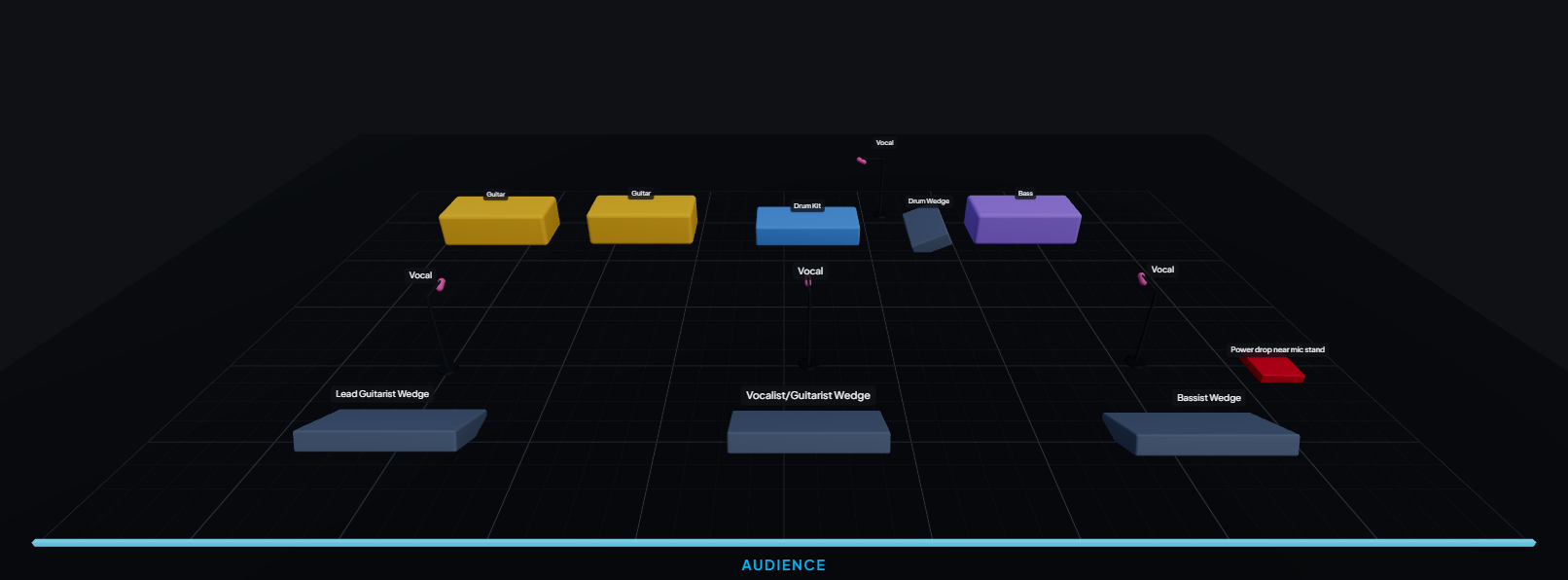
Place the big, fixed items first: the drum kit, bass and guitar amps, keyboards and any risers. These anchor the stage. Put the drum riser upstage-centre (or wherever your act sets up), then position amps where each player stands.
Step 2 — Add your performers and mics
Add a spot for each performer and the microphones they use — vocal mics, instrument mics, horn/sax mics. Put a DI box where you take an instrument direct (bass, acoustic, keys, playback). Label each with the musician so the engineer knows who’s who.
Step 3 — Number your inputs
Every mic and DI becomes a numbered channel on the console. Group them logically — drums first (kick, snare, hats, toms, overheads), then bass, guitars, keys, then vocals. With PluggedIn’s stage plot maker this input list builds itself as you place gear, so the numbering always matches the plot.
Step 4 — Add monitors
Mark each wedge or in-ear mix and who it’s for. Note whether mixes are mono or stereo. This becomes your monitor list — the outputs side of the console.
Step 5 — Note stage requirements
List what the venue must provide: power drops, risers, and any backline you don’t travel with. The clearer this is, the smoother your load-in.
Step 6 — Export and share
Export a print-ready tech-rider PDF, or send a live share link that always shows the latest version. Now you have a stage plot and a full tech rider in one go.
Common mistakes to avoid
- Channel numbers that don’t match the plot. Keep them linked (a generator does this for you).
- Forgetting phantom power and stand types. Engineers need these to prep.
- Sending a stale PDF. Share a live link so the venue sees the current setup.
Build yours free in minutes
Drag your gear onto the stage, get an input list and tech rider automatically, and send it to any venue.
Frequently asked questions
- What is the easiest way to make a stage plot?
- Use an online stage plot maker: drag your gear onto an interactive stage and let it number your inputs and build the tech rider automatically, instead of drawing it by hand.
- What should a stage plot include?
- Performer positions, backline (amps, drums, keys), microphones and DIs, monitors (wedges/IEMs), and stage requirements like power and risers.
- Do I need design software to make a stage plot?
- No. PluggedIn runs in your browser — no CAD or design software needed — and generates a professional PDF for you.