

Tech Rider Template & Generator
Skip the blank Word template. Build your stage once and PluggedIn generates a complete, professional tech rider — stage plot, input list, monitor list and backline — as a print-ready PDF you can send to any venue.
What is a tech rider?
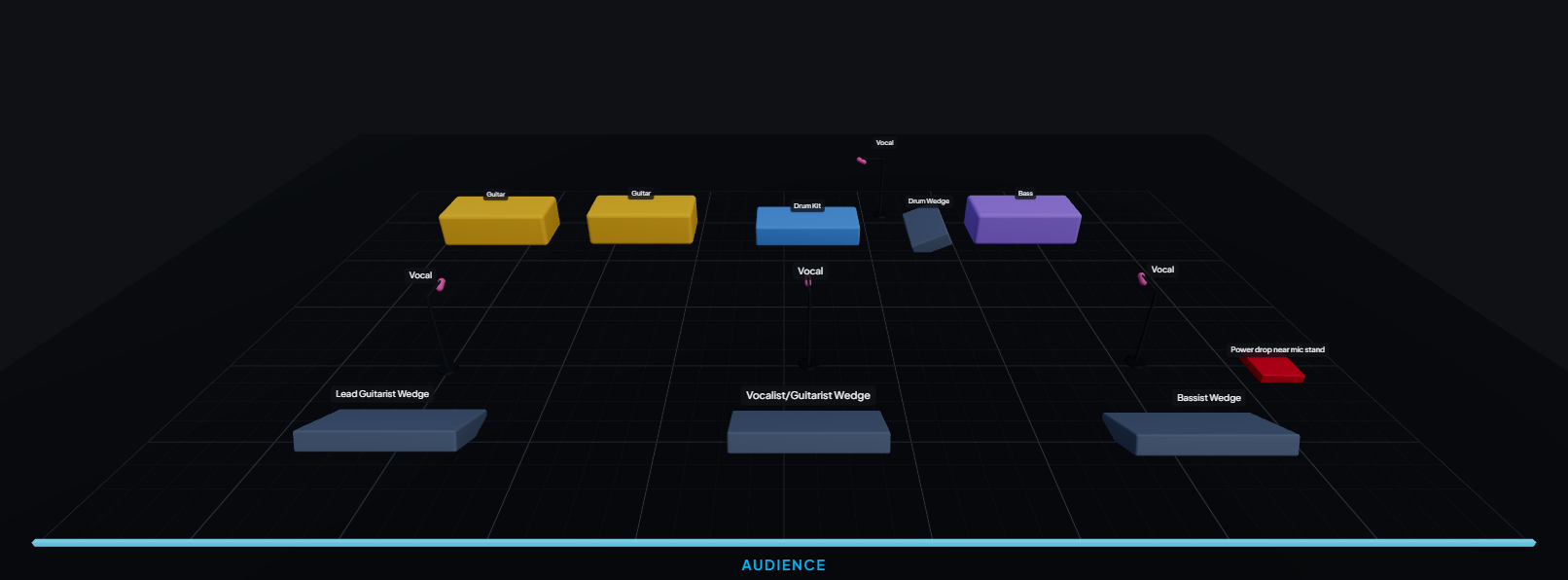
A tech rider tells a venue exactly what your act needs on stage to sound its best: the stage plot, the input list (every mic and DI), the monitor mixes, and the backline the venue should provide. A clear tech rider means faster load-ins, fewer surprises at soundcheck, and a better show.
What goes in a tech rider
- Stage plot — the physical layout of performers, backline, mics and monitors.
- Input list — numbered channels with source, microphone/DI, phantom power and stand.
- Monitor list — how many mixes, who needs what, wedges vs. in-ears.
- Backline & stage requirements — amps, drums, risers, power drops.
- Contacts — your production/tour manager and technical contact.
Template vs. generator — why generate beats fill-in-the-blank
A static tech-rider template (a Word or PDF file you fill in) goes stale the moment your setup changes, and it’s easy to get the channel numbering out of sync with your stage plot. A generator keeps everything linked: place a mic on the stage and it appears on the input list automatically. Change your setup and the rider updates itself. Send a live link and the venue always sees the current version — never a printout from three weeks ago.
How to make a tech rider with PluggedIn
- Build your stage plot by dragging your gear onto the stage.
- Tag each mic/DI with the model, phantom and stand — or start from the recommended defaults.
- Add monitor mixes and any backline you need the venue to provide.
- Export the print-ready PDF, or share a live link. Done.
Build yours free in minutes
Drag your gear onto the stage, get an input list and tech rider automatically, and send it to any venue.
Frequently asked questions
- Is there a free tech rider template?
- PluggedIn is a free tech-rider generator — instead of filling in a blank template, you build your stage plot and it produces a complete, professional tech-rider PDF for you.
- What should a tech rider include?
- A stage plot, an input (channel) list, a monitor list, backline and stage requirements, and your technical contact. PluggedIn builds all of these from your stage plot.
- Can venues request my tech rider?
- Yes. You can share a live “request my rider” link, and venues can request and receive your current rider without any back-and-forth email.