

Free Stage Plot Maker
Build a clean, professional stage plot in your browser — then let PluggedIn turn it into an input list, monitor list and a print-ready tech rider automatically. No CAD, no spreadsheets, no design skills required.
What is a stage plot?
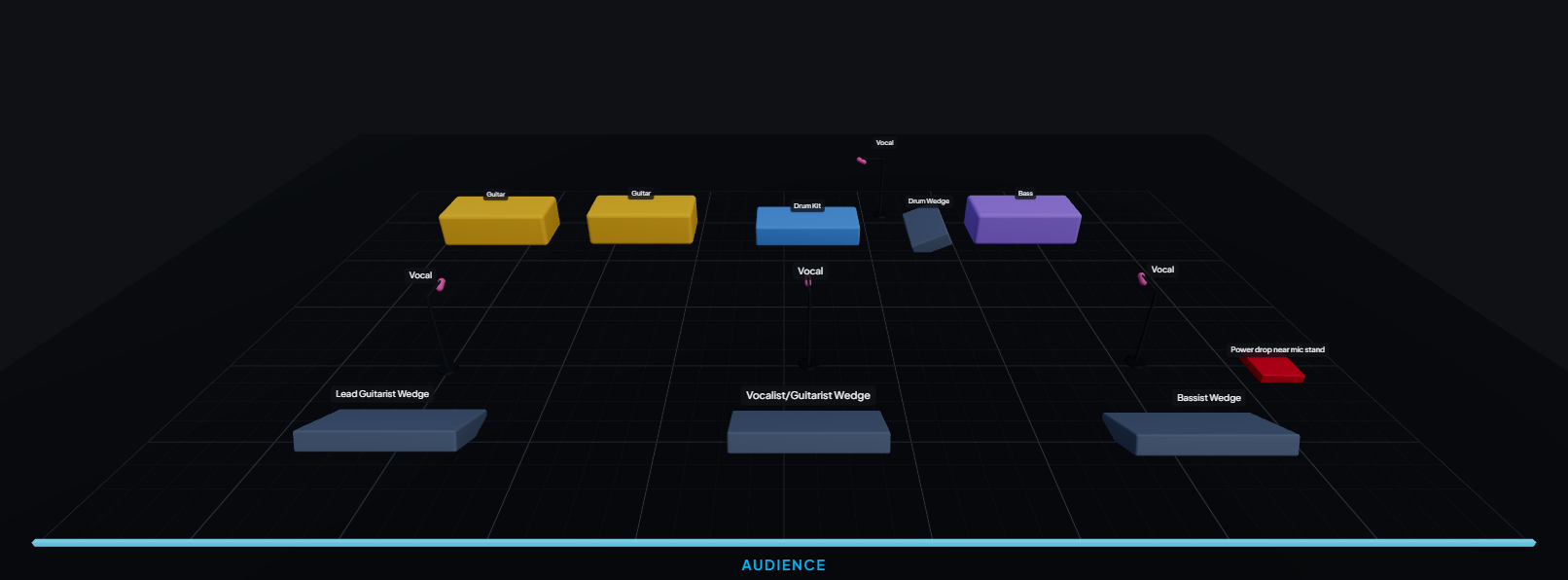
A stage plot is a top-down map of the stage that shows where each performer, instrument, amplifier, microphone and monitor goes. Venues and audio engineers use it to set up the stage quickly and correctly before a show. A good stage plot pairs with an input list and tech rider so the engineer knows not just where everything is, but what it needs on the console.
How the stage plot maker works
- Drag your gear onto the stage. Mics, DI boxes, guitar and bass amps, drum kits, keyboards, monitors, risers and power drops — all from a click-and-place palette.
- Position and label everything. Move, rotate and rename each item so it matches your real setup. Add the musician on each spot.
- Let the input list build itself. Every mic and DI is auto-numbered into a clean channel list (Ch 1…N) as you place it — no manual counting.
- Export or share. Download a professional tech-rider PDF, or send a live share link that always shows the current version.
What you get, automatically
- Input list — every channel numbered, with mic/DI, phantom power and stand type.
- Monitor list — wedges and IEM mixes, mapped to the right outputs.
- Stage requirements — risers, power and backline the venue needs to source.
- Tech rider PDF — a branded, print-ready document you can email to any venue.
- Master patch — venues can merge every act on the bill into one console patch.
Who it’s for
Bands and solo artists building their first professional rider; audio engineers advancing shows for the acts they tour with; and venues collecting stage plots from every act on a bill and consolidating them into one master patch. If you’ve ever hand-drawn a stage plot in a slide deck, this replaces it in minutes.
Build yours free in minutes
Drag your gear onto the stage, get an input list and tech rider automatically, and send it to any venue.
Frequently asked questions
- Is the stage plot maker free?
- Yes — you can build a stage plot and generate an input list for free, with no card required. Paid plans add unlimited riders and extra features.
- Do I need to install anything?
- No. It runs in your browser on desktop, tablet and mobile. There’s nothing to download or install.
- Can I export my stage plot as a PDF?
- Yes. PluggedIn exports a print-ready tech-rider PDF that includes your stage plot, input list, monitor list and backline requirements.